
Keeping track of your contingent workforce's hours is always a touchy subject. Properly configuring the SAP Fieldglass Timesheet application is a critical part of maintaining order because it allows your workforce to engage in a flexible timetable and provides a solid way to record hours that is automated and audit-able. However, a more in-depth understanding of the settings and professional layers involved is necessary to streamline this application and finish a full audit of the timesheet in a timely manner.
Be it a procurement lead, an IT functional consultant, or an SAP Fieldglass online training participant, knowing how to manage and process a Fieldglass timesheet end to end is a key initial competency. This article covers the different steps involved from system configuration to the last approval, so you can have the confidence to implement, fix, or improve things.
What Is the SAP Fieldglass Timesheet?
A timesheet in SAP Fieldglass is a part of the SAP Fieldglass Vendor Management System (VMS) that enables external workers like contractors, contingent workers, and SOW (statement of work) workers to submit the hours worked on active work orders. SAP Fieldglass allows you to submit your hours through a portal rather than through spreadsheets or paper submissions. Each user has assigned access rights, and the portal also controls the submission, review, and approval processes according to your company's policies.
Fieldglass sits at the intersection of procurement, HR, and finance. The information that timesheets record in Fieldglass is used for invoicing, budget management, and cost-center allocation, so it is vital that the information recorded in timesheets is precise. When trying to get an SAP Fieldglass certificate, you are taught a lot about the financial processes that are relevant to recording time in the system.
Pro Tip: SAP Fieldglass timesheets are distinct from SAP Time Management in SAP HCM or SAP SuccessFactors. Fieldglass operates within the external workforce domain and is designed exclusively for vendor-sourced labor. Confusing the two in an implementation is a common — and costly — mistake.
Prerequisites: Setting Up the Fieldglass Environment
There are a few prerequisites your system administrator must take care of in Fieldglass for timesheets to be submitted or approved, and these are part of any comprehensive training on Fieldglass. Note that these are unlikely to be configured automatically.
Work Order Configuration
Each timesheet in Fieldglass is associated with a Work Order, which sets the boundaries of the contract — the worker, the location, the applicable rate card, the times, and the cost center. If the Work Order is not active and fully approved, the worker will not be able to submit their time. Make sure that work orders have the correct type of billing period (weekly, bi-weekly, or custom) as this directly governs the generation of timesheet periods.
Time Sheet Templates
Fieldglass has configurable Time Sheet Templates that determine which fields are shown on the worker's timesheet. These templates can be configured to capture ordinary hours, overtime, specific types of expenses, task codes, custom fields, work location, and more. Templates are set at the site or business unit level, allowing organizations the ability to enact different rules for data collection across different departments or regions.
Billing Periods and Rate Cards
Before timesheets can be activated, work orders must have the appropriate rate cards attached. The order's billing period configuration will determine the order's timesheet cycle opening and closing. During Fieldglass implementations, incorrectly configured billing periods are the most common complaints, so make note of this for your UAT.
The SAP Fieldglass Login and Access Control Model
For approvers and workers to access and work with timesheets, they need to first have access to the correct system. The role-driven SAP Fieldglass login process is system specific. Workers can log in through the worker portal, and hiring managers, project leads, and procurement teams can log in through the buyer portal. Access is granted based on their specific role.
User Roles are determined by the system admin, and these dictate access within the Fieldglass system. The main User Roles involved in the timesheet process are Worker (submitter), Hiring Manager (first-level approver), Time Approval Group (secondary or escalated approvers), and Finance/Accounts Payable (invoice matching). Incorrect role configuration is cited as one of the primary causes of approval delays in production environments.
For companies that have implemented Single Sign-On (SSO), the login process for Fieldglass is controlled by the company's SSO system, providing seamless access while maintaining security. This is particularly useful in large company deployments where many hiring managers require access without managing individual accounts.
The Timesheet Workflow: Step-by-Step
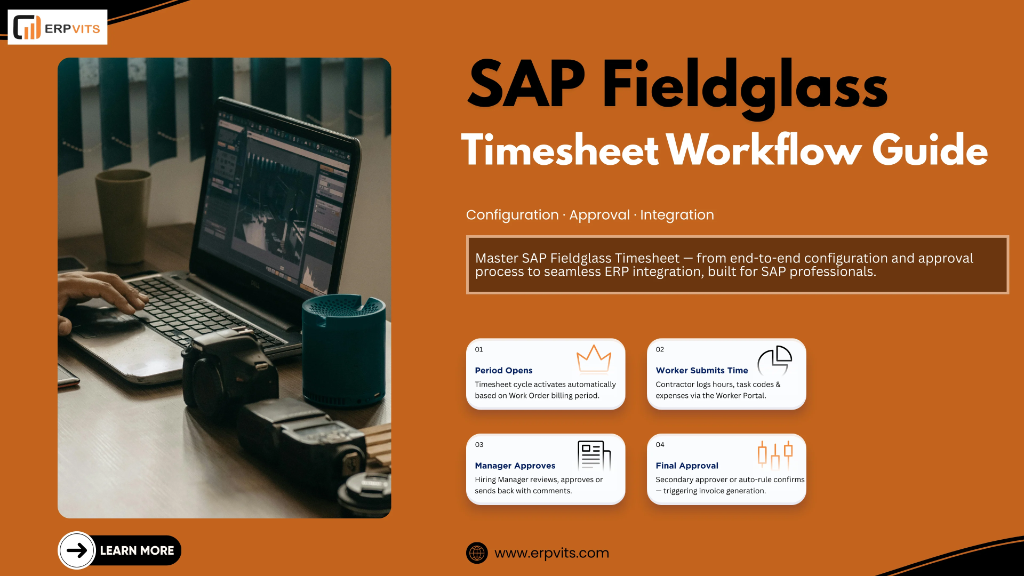
There is a specific lifecycle for the SAP Fieldglass timesheet workflow. Knowing each of the stages keeps the stakeholders aligned and guarantees time data is processed accurately and on time.
- Period Opening: Fieldglass automatically opens a new timesheet period based on the billing period configuration in the work order. Workers receive a notification via email or portal alert that a new timesheet is ready for submission.
- Time Entry by Worker: The worker logs into the Fieldglass worker portal, navigates to the open timesheet, and enters hours against each working day. Depending on the template, they may also enter task codes, expense details, or supplemental fields.
- Submission: Once the worker has entered all required data, they submit the timesheet. At this point, Fieldglass performs field-level validation — checking for missing required fields, hours that exceed daily or weekly thresholds, or rate card mismatches. Timesheets that fail validation are returned immediately with error messages.
- First-Level Approval: The submitted timesheet is routed to the designated Hiring Manager for review. The manager receives an email notification with a direct link to the approval screen. They can approve, reject, or send back the timesheet with comments.
- Secondary Approval (if configured): Organizations with multi-tier approval requirements can configure Time Approval Groups to enforce a second review layer. This is common in regulated industries or where financial thresholds trigger additional oversight.
- System Processing and Invoice Generation: Once fully approved, Fieldglass processes the timesheet and triggers invoice generation. The invoice is sent to the buyer's accounts payable workflow — either within Fieldglass or via integration to SAP S/4HANA, Ariba, or a third-party ERP system.
Approval Workflow Configuration in Detail
The approval configuration is where the most intricate details lie within SAP Fieldglass timesheet management. Fieldglass offers different ways to manage how and to whom timesheets are sent.
Approval Groups
Approval Groups are groups of users able to approve timesheets submitted under a particular site or work order category. Any group member is able to approve, and the first to act "claims" the approval. This ensures there are no bottlenecks when specific approvers are unavailable. Setting up the right-sized approval groups is a consistently highlighted best practice across SAP Fieldglass training programs for large contingent worker programs.
Delegation Rules
Fieldglass also offers approval delegation, where a hiring manager can divert their approvals to someone else while they are out. Delegation is a function each user must set up, with a defined start and end date. For companies with strict SLA guidelines for timesheet approval, setting up delegation for managers is a recommended best practice.
Auto-Approval Rules
Fieldglass can also perform conditional auto-approvals, meaning timesheets that fall within specific criteria (for example, no overtime and hours within a predefined range) are auto-approved without manual intervention. This is a useful tool for high-volume programs; however, it should be implemented with care to avoid compliance gaps.
Integration Considerations
When Fieldglass is connected to SAP S/4HANA or SAP Ariba, approved timesheets generate invoices that map to purchase order line items. Ensuring that cost center codes, GL accounts, and WBS elements are correctly configured in Fieldglass is critical for clean financial postings. This integration mapping is a dedicated topic in most advanced SAP Fieldglass online training programs and should not be left to assumption during go-live preparation.
Common Configuration Errors and How to Avoid Them
Problems with configuring Fieldglass timesheets happen even to seasoned SAP specialists. Among the most frequent issues are the misalignment of billing cycles on the work order and timesheet template, approval groups with no active members, rate card expiration causing submissions to fail, and mandatory custom fields blocking worker submissions without proper error guidance.
The most dependable method for identifying these problems prior to go-live is methodical testing with test scripts that mimic the entire worker-through-approval cycle for multiple types of work orders. Organizations that invest in quality SAP Fieldglass training prior to implementation consistently see a considerable decrease in timesheet workflow support tickets post go-live.
Advancing Your SAP Fieldglass Expertise
The configuration depth outlined in this piece is just part of what an experienced Fieldglass practitioner should understand. Advanced study is needed in areas such as timesheet compliance rate analytics and reporting, custom field logic with conditional visibility, integration oversight between Fieldglass and backend ERP systems, and cross-border time policy governance.
For practitioners wishing to develop or formalize this knowledge, the most organized approach is to take an authorized SAP Fieldglass course. In recent years, SAP Fieldglass online training options have grown substantially, with offerings in both self-paced and instructor-led formats that cover configuration, end-user management, reporting, and integration. Whether you are preparing for a Fieldglass implementation, taking over an existing environment, or trying to fill knowledge gaps, formal training helps you progress faster.
Regularly accessing the system via the SAP Fieldglass login — even in a sandbox environment — and walking through the timesheet lifecycle is the most effective way to complement formal training. When theory and configuration knowledge are applied directly to the platform, they are more easily consolidated.
Conclusion
The SAP Fieldglass Timesheet is not just a digital version of a timecard. It encompasses a governed, workflow-driven process that, when set up properly, impacts billing and financial postings while ensuring the contingent workforce program remains compliant. From system setup, all the way through worker submission, multi-tier approvals, and invoice generation, every stage creates and impacts the outcome.
SAP professionals that understand the process from beginning to end — either through direct implementation, SAP Fieldglass certification, or attending an SAP Fieldglass course — differentiate themselves as premium performers in any external workforce management engagement. The organizations they work for benefit from faster approvals, fewer billing disputes, and a compliance posture that stands up to audits.
To be a serious VMS practitioner, mastering timesheets in Fieldglass is a prerequisite. It is essential.
Looking to advance your SAP Fieldglass expertise? ERPVITS is here to help you take the next step. Our training and certification support, along with expert career counseling, is designed to help you succeed. Get in touch today!