
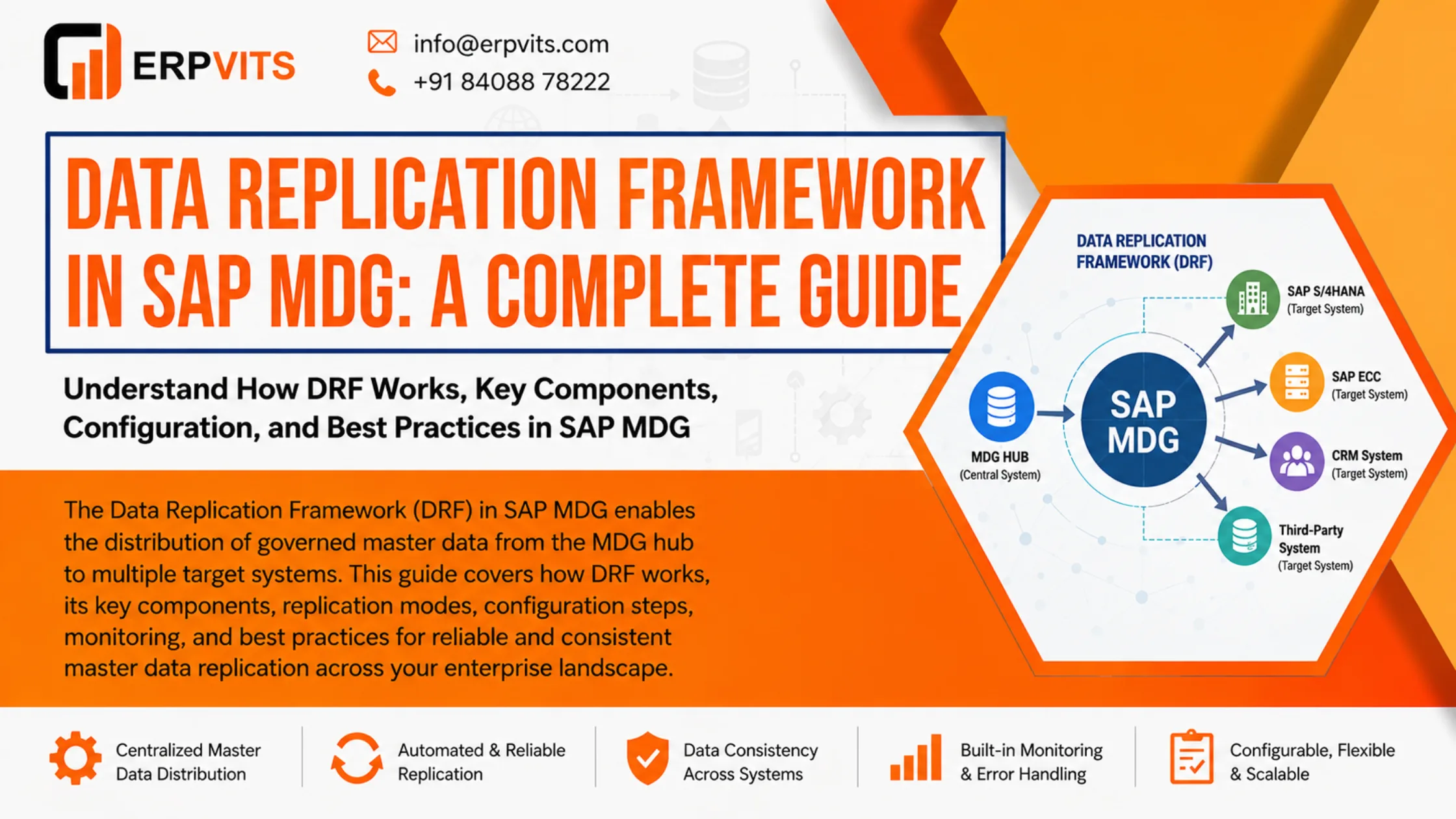
If you deal with SAP Master Data Governance in any capacity, you know how important clean, consistent, and correct master data is from an enterprise perspective. What happens after data is governed, and how is it conveyed to the systems that require it? Enter the Data Replication Framework in SAP MDG.
The Data Replication Framework (DRF) is a powerful method for SAP MDG users to distribute governed master data to connected target systems, in a controlled, configurable manner. Be it the replication of vendor records to an SAP ERP, the synchronization of customer data to a CRM, or even the replication of material master data to multiple SAP systems, DRF provides the necessary capabilities for users.
The purpose of this guide is to provide you with the information necessary to understand SAP MDG's Data Replication Framework. This includes, but is not limited to, the configuration steps, key components, and best practices, as well as the framework's purpose and functionality.
What Is the Data Replication Framework in SAP MDG?
The Data Replication Framework in SAP MDG is a system offered by SAP that lets users replicate master data from SAP MDG hubs to one or multiple target systems. It provides a middleware layer that connects the MDG governance layer to the downstream systems that use master data.
In layman's terms, once a master data record is created, modified, or approved in SAP MDG, DRF guarantees the record is disseminated to all applicable systems in an automated, consistent, and completely traceable manner.
Because DRF employs a BAdI-based and configuration-driven method, the replication behavior for a specific system landscape can be readily defined, and further extensive custom development is not necessary.
What Is The Importance of Data Replication Framework in SAP MDG?
In most organizations, master data resides in multiple systems. Up-to-date SAP ECC, SAP S/4HANA, external system CRM systems, legacy systems, and other applications all require the same consistent master data.
Without a proper structured replication framework, you will experience:
- Data inconsistency across systems
- Manual work to synchronize data
- Updates that are time-consuming and lead to broken business processes
- Mismatched data leading to compliance and audit issues
All of these problems are addressed by the data replication framework in SAP MDG, which implements a structured, automated, and traceable framework for the distribution of master data. It provides an elegant solution to avoid point-to-point integrations. It also gives an optimal location for your IT teams to manage and control the data.
Main Building Blocks of the Data Replication Framework in SAP MDG
In order to explain DRF, let us look at its foundational blocks. Each building block has a function related to the flow of data from the MDG hub to an endpoint system.
1. Business System
A business system is a destination system for replicated master data. It is defined in the System Landscape Directory (SLD) and is referenced in the DRF configuration. Each destination system — be it an SAP ECC instance, an SAP S/4HANA system, or an external application — is considered a business system.
2. Replication Model
The replication model is one of the essential configuration objects in DRF. It specifies the business systems to which specific objects are replicated and the outbound implementation used. Depending on the requirements of your landscape and data distribution, you can have as many replication models as you need.
3. Outbound Implementation
The outbound implementation specifies the structure of the data sent to the destination system and how it is transmitted. For the majority of master data objects, SAP provides standard outbound implementations. If the standard implementations are not sufficient to meet your requirements, you can create outbound implementations by using BAdIs.
4. Filter Object
Filter objects enable you to define the target system to which specific records are replicated. For instance, you can replicate only certain company code vendors to a specified system. Filters allow for this specific granularity and do not require the replication model to be modified.
5. Communication Channel
The communication channel specifies the protocol used for the technical implementation of the data transfer. DRF offers IDoc, Web Services, and ALE-based communication channels. This variety provides the flexibility to implement communication with a wide range of target systems.
How Does the Data Replication Framework Work in SAP MDG?
In SAP MDG, the Data Replication Framework (DRF) follows a series of steps after a replication is triggered. Familiarizing yourself with the flow can help you identify and resolve issues, as well as help design a robust replication strategy.
Step 1 — Master Data Change Detected
An event is triggered after a change to a master data record in SAP MDG passes the governance Workflow. This event notifies DRF that a change has occurred that makes the master data eligible to be replicated.
Step 2 — DRF Evaluates Replication Relevance
DRF analyzes the replication model configuration to understand if the changed object, as well as the attributes, are considered relevant for replication. If a filter object has been defined, DRF uses the filter logic to decide the target system(s) that will receive the corresponding update.
Step 3 — Data Is Packaged by Outbound Implementation
The changed master data, in the format required by the target system, is packaged by the outbound implementation. For replication using IDoc, the format of the master data is changed to an IDoc. For replication using Web Services, the master data is packaged as a SOAP message.
Step 4 — Data Is Sent to Target System
The packaged master data is sent to the target system using the configured communication channel. DRF provides support for both synchronous and asynchronous communication based on the outbound implementation and the needs of the business.
Step 5 — Response Acknowledgment and Status Logging
Upon reception and processing of the data by the target system, DRF captures the response and logs the status of the replication. The DRF monitoring tools in SAP MDG enables the monitoring of the success or failure of each replication instance.
Data Replication Framework Configuration in SAP MDG
The SAP MDG Customizing activities allows one to configure the Data Replication Framework (DRF) via the Data Replication section. The following provides a high-level overview of the main configuration steps.
Step 1 — Set Up Business Systems
Access DRF configuration in SPRO and set up the target business systems. These should correspond with the systems that have been registered in the System Landscape Directory (SLD). In each business system, assign relevant technical names and descriptions.
Step 2 — Replication Model Definition
A replication model can be defined and assigned a unique name. Within the replication model, business objects such as Business Partner, Material, Customer, etc. are defined as to which objects are to be replicated, and the outbound implementation for each business object is assigned, which is responsible for packaging the object.
Step 3 — Replication Model and Business System Association
In this step, the replication model defined in Step 2 and the business systems defined in Step 1 are associated. The Business Systems in a replication model indicate to the DRF which target systems are to receive the master data.
Step 4 — Configure Filter Objects (Optional)
Configure filter objects if specific types of selective replication are needed — for example, replicating only materials of a specific plant. Assign filter objects to the corresponding business system in the replication model.
Step 5 — Define Communication Channels
Determine the communication channels for DRF to transmit data to target systems. Depending on the communication method, configure the ALE distribution model, IDoc partner profiles, or Web Service.
Step 6 — Activate Replication Model
When all parts are configured, activate the replication model. From this point onward, the governed master data changes will be automatically sent to the target systems, if the changes comply with the replication model.
Replication Modes in SAP MDG DRF
SAP MDG offers two main replication modes in the data replication framework, designed to accommodate several business scenarios.
Event-Based Replication
In the event-based replication, data is replicated immediately upon the occurrence of a governance event, like the approval of a change request or the activation of a master data record. This mode is the most preferred approach for production environments, since it provides the distribution of data in a near real-time manner.
Key Date-Based Replication
Key date-based replication lets you replicate data that only becomes relevant or valid from a particular date in the future. This mode is suited for the changes to master data that should not govern the data until a particular date, like changes in pricing or changes in the organizational structure.
SAP MDG Data Replication Monitoring
For DRF, SAP MDG offers a specialized monitoring tool. This can be accessed through transaction DRFOUT or through the MDG application menu. The monitoring interface displays:
- Success, warning and error status for the replication runs
- Details at the object level for data sent and the target system
- Error messages for failed replications and a restart button
- Compliance and audit replication run data
Data Replication Framework (DRF) needs to be monitored regularly to ensure data integrity across the enterprise landscape. Replications that have failed should be promptly diagnosed and repaired, so that the targeted systems do not fall behind DRF.
Typical DRF Use Cases in SAP MDG
Business Partner Data Replication
One of the most common use cases that invoke DRF in SAP MDG is Business Partner data replication. When a new vendor or customer is created and approved in MDG, DRF is used to replicate the record to SAP ECC or SAP S/4HANA through standard outbound implementation for Business Partner.
Material Master Data Replication
DRF is used in the replication of Master Material data to different SAP ERP or S/4HANA systems from the MDG hub. This is critical for a supply chain to ensure that approved Material Master data is available for different Plants and Warehouses.
Cost Center, Profit Center, and GL Account Replication
In financial master data, DRF is used to replicate Cost Centers, Profit Centers and GL Accounts from the MDG instance to the various regional ERP systems that may be in different legal jurisdictions.
Best Practices for Data Replication Framework in SAP MDG
Proper practices during Data Replication Framework implementation and operation create a stable and scalable landscape.
- Test replications in the development or quality systems prior to activating in productive systems.
- Filter objects replicate only the data that is pertinent to the business case, thus optimizing the system.
- Daily check logs of DRF and set up monitoring in case of failed runs.
- Model configuration must be documented for future reference and for auditing purposes.
- Before activating a new replication channel, notify system administrators of the target systems.
- Periodically prune replication models that are obsolete and business systems that are no longer in use to optimize system configuration.
- Regularly update your systems and apply the pertinent DRF SAP Notes and recommendations.
Data Replication Framework vs Other Integration Methods in SAP
It is imperative to distinguish DRF from other integration methods you might meet when developing in an SAP environment.
| Parameter | Data Replication Framework (DRF) | Point-to-Point ALE/IDoc | SAP Integration Suite |
|---|---|---|---|
| Configuration | Centralized in MDG | Distributed across systems | API/middleware-driven |
| Governance Integration | Native MDG integration | Manual Integration | Requires Development |
| Monitoring | DRF Monitor | BD87, SM58 | Integration Suite Dashboard |
| Flexibility | High (BAdI-based) | Low | Very High |
| Best Suited For | MDG-driven master data | Legacy integrations | Heterogeneous landscapes |
Frequently Asked Questions
What is the Data Replication Framework in SAP MDG?
An automated configured IDoc, ALE, and Web Services communication infrastructure in built in SAP MDG. It facilitates automated replication of governed MDG master data to connected systems.
What is the transaction code for DRF in SAP MDG?
The primary transaction code for monitoring and executing data replication in SAP MDG is DRFOUT. You can also use DRFLOG to view replication logs and error details.
What types of master data can be replicated using DRF?
DRF supports replication of all major SAP master data object types including Business Partner, Material Master, Customer, Vendor, Cost Center, Profit Center, and General Ledger Accounts, among others.
What is a replication model in SAP MDG DRF?
A replication model is a central building block in the DRF that lets you specify which master data objects you want to replicate to which business systems and through which outbound implementations. A replication model captures the center of your replication strategy.
Can DRF replicate data to non-SAP systems?
Yes. Although DRF is primarily designed for SAP-to-SAP replication, it is possible to replicate data to non-SAP systems by using custom outbound implementations and Web Services in the respective communication channels.
What is the difference between event-based and key date-based replication in DRF?
In event-based replication, the master data is propagated immediately after the governance event (e.g., after the change request is approved). In key date-based replication, the data is propagated which is effective from a future date, thus supporting future, planned changes.
Conclusion
The DRF in SAP MDG is a key component in the framework of an enterprise master data management strategy. It integrates the governance layer with the systems that require the processing of validated and consistent master data.
If an organization understands the main building blocks of the DRF — replication models, outbound implementations, filter objects, and communication channels — and adopts a systematic approach to define these building blocks, it will help establish a robust, scalable master data distribution system.
If this is your first experience implementing SAP MDG, or if you are trying to improve an already existing situation, you will find that learning about the configuration of DRF will help you achieve better data, more reliable systems, and more efficient operations.
If you want to establish yourself in SAP MDG or in enterprise master data management, visit our SAP MDG training page. For inquiries contact us at info@erpvits.com | +91 8408878222.