
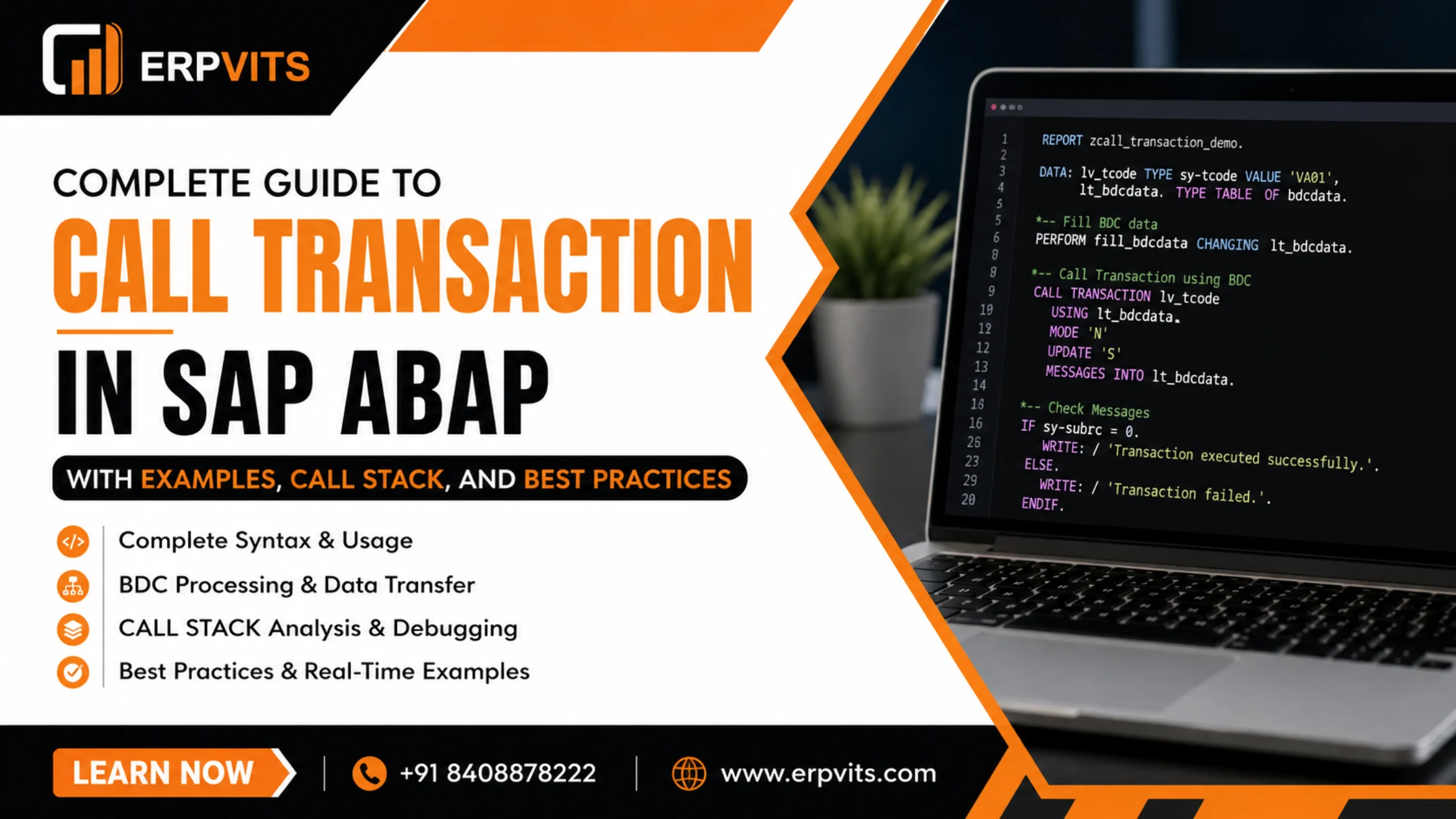
Complete Guide to CALL TRANSACTION in SAP ABAP with Examples, CALL STACK, and Best Practices
SAP ABAP offers a rich set of programming tools which allow developers to create sophisticated, enterprise-grade apps. The most popular and frequently overlooked is the variety of CALL statements. If you're dealing with CALL TRANSACTION in SAP ABAP or invoking remote function modules as well as calling static methods or even navigating subscreens, understanding these concepts is crucial for anyone who is an SAP developer.
In this complete guide, we'll go through each major CALL statement using ABAP — along with actual examples of syntax, hints, and the best practices to help you write more efficient, cleaner and easily maintained SAP code.
What Is CALL TRANSACTION in SAP ABAP?
The CALL TRANSACTION statement of SAP ABAP can be used to trigger an SAP transaction inside an ABAP program. This lets one program initiate another transaction, possibly transmitting data via BDC (Batch Data Communication) session tables or without interaction with the screen at all.
Syntax
CALL TRANSACTION 'VA01'.CALL TRANSACTION in SAP ABAP Example
The most common scenario is to initiate the transaction using the help of a BDC table and then handle the following errors:
DATA: it_bdcdata  TYPE TABLE OF bdcdata,
      wa_bdcdata  TYPE bdcdata,
      it_messages TYPE TABLE OF bdcmsgcoll,
      wa_messages TYPE bdcmsgcoll.

" Create BDC information
CLEAR wa_bdcdata.
wa_bdcdata-program  = 'SAPMV45A'.
wa_bdcdata-dynpro   = '0101'.
wa_bdcdata-dynbegin = 'X'.
APPEND wa_bdcdata TO it_bdcdata.

wa_bdcdata-fnam = 'VBAK-AUART'.
wa_bdcdata-fval = 'OR'.
APPEND wa_bdcdata TO it_bdcdata.

CALL TRANSACTION 'VA01'
  USING    it_bdcdata
  MODE     'N'
  UPDATE   'S'
  MESSAGES INTO it_messages.

IF sy-subrc = 0.
  WRITE: 'Transaction completed successfully'.
ELSE.
  LOOP AT it_messages INTO wa_messages.
    WRITE: wa_messages-msgtyp, wa_messages-msgtx.
  ENDLOOP.
ENDIF.MODE 'N'— It runs in the background (no screen display)MODE 'A'— Displays all screensUPDATE 'S'— Synchronous updateUPDATE 'A'— Asynchronous updateMESSAGES INTO— Captures BDC messages for error handling
Call by Value and Call by Reference in SAP ABAP
Knowing call by value as well as call by reference in SAP ABAP is fundamental for writing functional modules that are correct and procedures.
Call by Reference (Default)
When you send the parameter as a reference, ABAP sends the address to memory. Modifications within the function module impact the variable that was originally passed.
FUNCTION z_demo_by_reference.
  *"  IMPORTING
  *"     REFERENCE(iv_value) TYPE char20
  *"  CHANGING
  *"     REFERENCE(cv_result) TYPE char20

  cv_result = iv_value && ' processed'.
ENDFUNCTION.
Call by Value
If a value is passed, ABAP creates a copy. Any changes made inside will not change the variables of the caller.
FUNCTION z_demo_by_value.
  *"  IMPORTING
  *"     VALUE(iv_input) TYPE string
  *"  RETURNING
  *"     VALUE(rv_output) TYPE string

  rv_output = iv_input.
ENDFUNCTION.
Best Practice: Use VALUE(...) for RETURNING parameters, and also when you don't want to have the data of the caller to be altered accidentally. Make use of REFERENCE(...) when you need large internal tables to prevent the performance impact of copying.
Call Function Module in SAP ABAP
The CALL FUNCTION statement is the most frequently utilized mechanism to reuse the logic of SAP ABAP.
DATA: lv_matnr TYPE matnr VALUE 'MAT001',
      lv_maktx TYPE maktx,
      lv_subrc TYPE sy-subrc.

CALL FUNCTION 'MARA_SINGLE_READ'
  EXPORTING
    matnr          = lv_matnr
  IMPORTING
    maktx          = lv_maktx
  EXCEPTIONS
    material_error = 1
    OTHERS         = 2.

IF sy-subrc <> 0.
  MESSAGE 'Material not found' TYPE 'E'.
ENDIF.
Always take care to handle EXCEPTIONS within your function module calls in order to ensure that runtime errors are properly dealt with in the production.
Call Function in Update Task in SAP ABAP
The call function in update task in SAP ABAP procedure is employed to run the function module asynchronously in the SAP update process (as part of the LUW — Logical Unit of Work).
" Register function module for update task
CALL FUNCTION 'Z_UPDATE_SALES_ORDER'
  IN UPDATE TASK
  EXPORTING
    iv_vbeln = lv_vbeln
    iv_posnr = lv_posnr.

" The actual commit to the database is activated -- this triggers every update task
COMMIT WORK.Call Function Destination in SAP ABAP
The call function destination in SAP ABAP allows Remote Function Calls (RFC), which executes a function module on a remote SAP system.
DATA: lv_destination TYPE rfcdest VALUE 'REMOTE_SYS',
      lv_result      TYPE char50.

CALL FUNCTION 'Z_RFC_FUNCTION'
  DESTINATION lv_destination
  EXPORTING
    iv_input              = 'TEST'
  IMPORTING
    ev_output             = lv_result
  EXCEPTIONS
    system_failure        = 1
    communication_failure = 2
    OTHERS                = 3.

IF sy-subrc = 0.
  WRITE: lv_result.
ENDIF.
RFC destinations are defined in transaction SM59. Always handle system_failure and communication_failure exceptions for robust remote call handling.
Call Customer Function in SAP ABAP
Call customer function in SAP ABAP can be implemented within SAP regular programs. It is used to offer users exits for their customers — these are pre-defined places for enhancements where customer-specific codes could be added.
" Usually found within SAP standard applications:
CALL CUSTOMER-FUNCTION '001'
  EXPORTING
    i_vbeln = wa_vbak-vbeln
  CHANGING
    c_netwr = wa_vbak-netwr.
Functions of customers are recorded during transactions in SMOD (function exits) and then activated by CMOD (enhancement projects). This is a well-known enhancement method that was used prior to when Business Add-Ins (BAdIs) became the norm.
Call Screen in SAP ABAP
The CALL SCREEN statement is used to get to a particular dynpro (screen) in the ABAP program.
CALL SCREEN 200.

" Or with a starting point for dialog boxes:
CALL SCREEN 200 STARTING AT 10 5
                ENDING   AT 70 20.
The screen number must be in the screen painter program (SE51). STARTING AT and ENDING AT parameters specify the position for modal dialog boxes.
Call Subscreen in SAP ABAP
Call subscreen in SAP ABAP allows you to insert a subscreen (a smaller version of a dynpro) within a main screen, making it possible to create a flexible UI design.
Call Subscreen Syntax in SAP ABAP
The call subscreen syntax in SAP ABAP requires both an explicit declaration in the screen painter as well as the associated ABAP code.
In the Screen Painter (SE51): Set a subscreen area element within the primary screen.
Within the PBO (Process Before Output) module:
MODULE pbo_main OUTPUT.
  " How to call subscreen in SAP ABAP:
  CALL SUBSCREEN sub_area
    INCLUDING sy-repid '0200'.
ENDMODULE.
Within the PAI (Process After Input) module:
MODULE pai_main INPUT.
  CALL SUBSCREEN sub_area.
ENDMODULE.
The INCLUDING keyword defines the name of the program as well as the screen number for the subscreen. This method is commonly used for tabstrip controls and reused dialog elements.
How to Call Method in SAP ABAP
Object-Oriented ABAP makes use of the CALL METHOD statement (or the more modern inline syntax) to call instance methods.
How to Call Method in SAP ABAP — Classic Syntax
DATA: lo_order TYPE REF TO zcl_sales_order.

CREATE OBJECT lo_order.

CALL METHOD lo_order->process_order
  EXPORTING
    iv_vbeln = lv_vbeln
  IMPORTING
    ev_status = lv_status.
Modern Inline Syntax (Preferred)
lo_order->process_order(
  EXPORTING iv_vbeln  = lv_vbeln
  IMPORTING ev_status = lv_status
).
How to Call Static Method in SAP ABAP
Static methods belong to the class and not an instance. It is not necessary to create a new object in order to access them.
" Using CALL METHOD (classic)
CALL METHOD zcl_utility=>format_date
  EXPORTING
    iv_date    = sy-datum
  RECEIVING
    rv_result  = lv_formatted_date.

" Using modern syntax (preferred)
lv_formatted_date = zcl_utility=>format_date( iv_date = sy-datum ).
When should you use static methods:
- Utility/helper functions that aren't dependent on the state of an object
- Methods for factory production
- Singleton access methods
Call Selection Screen in SAP ABAP
The CALL SELECTION-SCREEN statement is used to call a selection screen that is defined using SELECTION-SCREEN BEGINNING OF SCREEN within the program.
SELECTION-SCREEN BEGIN OF SCREEN 1000 TITLE title1.
  PARAMETERS: p_bukrs TYPE bukrs.
SELECTION-SCREEN END OF SCREEN 1000.

START-OF-SELECTION.
  title1 = 'Company Code Selection'.
  CALL SELECTION-SCREEN 1000.

  IF sy-subrc = 0.
    " User hit Enter/Execute
    WRITE: p_bukrs.
  ELSE.
    " The user clicked Cancel
    LEAVE PROGRAM.
  ENDIF.
sy-subrc = 0 means that the user confirmed the transaction; sy-subrc = 1 means that the user cancelled.
Call Browser in SAP ABAP
The CALL BROWSER statement allows a URL to be opened within the user's default web browser straight via an ABAP program — which can be useful in launching assistance pages, external websites, or even reports.
DATA: lv_url TYPE string.

lv_url = 'https://www.erpvits.com/sap-training'.

CALL METHOD cl_gui_frontend_services=>execute
  EXPORTING
    document               = lv_url
  EXCEPTIONS
    cntl_error             = 1
    error_no_gui           = 2
    bad_parameter          = 3
    file_not_found         = 4
    path_not_found         = 5
    file_extension_unknown = 6
    error_execute_failed   = 7
    synchronous_failed     = 8
    not_supported_by_gui   = 9
    OTHERS                 = 10.
You can also use the more straightforward syntax:
CALL BROWSER URL lv_url.Call Transformation in SAP ABAP
Call transformation in SAP ABAP is used to serialize/deserialize ABAP data to/from XML or JSON using XSLT or Simple Transformations (ST).
Serialize ABAP Data to XML
DATA: lt_orders TYPE TABLE OF zorders,
      lv_xml    TYPE xstring.

SELECT * FROM zorders INTO TABLE lt_orders.

CALL TRANSFORMATION id
  SOURCE orders = lt_orders
  RESULT XML lv_xml.
Deserialize XML to ABAP
DATA: lt_orders TYPE TABLE OF zorders,
      lv_xml    TYPE xstring.

" lv_xml contains the XML data
CALL TRANSFORMATION id
  SOURCE XML lv_xml
  RESULT orders = lt_orders.
The transformation ID is the identity transformation (built-in). Custom transformations are built in transaction STRANS and are able to be referenced by name.
Call Stack in SAP ABAP
The call stack in SAP ABAP refers to the sequence of programs, function modules, methods, subroutines, and methods which are currently running. Knowing this call stack can be essential for debugging and analyzing errors.
Viewing the Call Stack
Within the ABAP Debugger (transaction SE80 or /h in any screen), the Call Stack tab displays the exact order of execution — starting at the top of the program down to the currently executing line.
Retrieving the Call Stack Programmatically
DATA: lt_callstack TYPE abap_callstack,
      wa_callstack TYPE abap_callstack_line.

CALL FUNCTION 'SYSTEM_CALLSTACK'
  IMPORTING
    callstack = lt_callstack.

LOOP AT lt_callstack INTO wa_callstack.
  WRITE: / wa_callstack-mainprogram,
           wa_callstack-include,
           wa_callstack-line,
           wa_callstack-eventtype,
           wa_callstack-eventname.
ENDLOOP.
Use cases to analyze call stacks:
- Custom error logging frameworks
- Debugging and runtime tracing tools
- Identifying the program that is calling in the reusable utility modules
- Audit trail generation in critical business processes
Summary: All CALL Statements at a Glance
| Statement | Purpose |
|---|---|
CALL TRANSACTION |
Automate or navigate to an SAP transaction |
CALL FUNCTION |
Perform a function module (local or remote) |
CALL FUNCTION ... IN UPDATE TASK |
Defer execution until SAP update work processes |
CALL FUNCTION ... DESTINATION |
Execute RFC on remote SAP system |
CALL CUSTOMER-FUNCTION |
Trigger a user exit within standard SAP code |
CALL SCREEN |
Navigate to a dynpro screen |
CALL SUBSCREEN |
Embed a subscreen within the main screen |
CALL SELECTION-SCREEN |
Display a selection screen dialog |
CALL BROWSER |
Open a URL within the web browser of the user |
CALL TRANSFORMATION |
Serialize/deserialize data using XSLT/ST |
CALL METHOD |
Call an instance or a static OO method |
Best Practices for CALL Statements in SAP ABAP
- Always take care of the exceptions within CALL FUNCTION statements. Unhandled exceptions result in runtime dumps during production.
- Use
VALUE(...)in RETURNING parameters to ensure clear and side-effect-free function logic. - Avoid MODE 'A' when making production BDC calls. Use MODE 'N' for background processing and log messages using MESSAGES INTO.
- Use RFC with caution — always handle
communication_failureandsystem_failureexceptions when using DESTINATION. - Prefer inline method call syntax over CALL METHOD in the current version of ABAP (7.4+) for ease of reading.
- Utilize CALL TRANSFORMATION to process JSON and XML instead of manually processing strings — it's type-safe and easily maintained.
- Log call stack information in specialized error-handling tools using SYSTEM_CALLSTACK for effective root cause analysis.
- Test BDC transactions in MODE 'E' (show only error screens) prior to switching to fully background mode.
Conclusion
From CALL TRANSACTION in SAP ABAP up to call transformation, call subscreen, static methods for calling, as well as call stack analysis — the CALL family of ABAP statements is the foundation of modular, easy-to-integrate SAP development.
If you can master these techniques, you can create applications that are easy to maintain, troubleshoot, and expand — regardless of whether it's automating data entry through BDC, connecting remote systems using RFC, or building a dynamic UI that includes subscreens and selection screens.
At ERPVITS, we provide practical SAP ABAP training that covers all of these concepts in detail — starting from the basics up to advanced patterns of enterprise development. Take a look at our SAP training programs now and enhance your professional career within SAP development.