
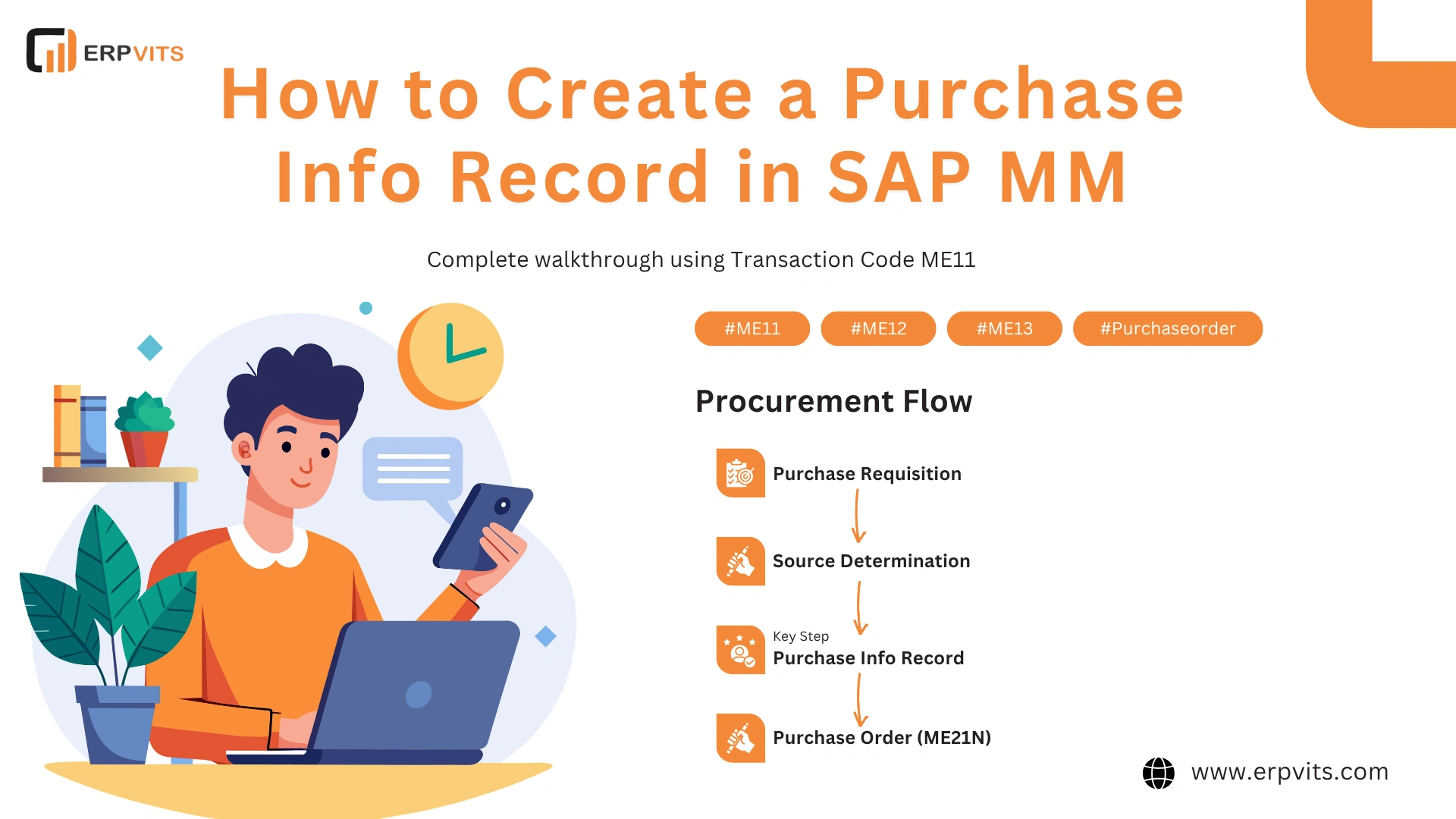
If you work within SAP Materials Management, one of the most crucial master data elements you'll be able to set up includes the purchase info record within the SAP MM. It doesn't matter if you're just entering your first SAP job, a professional who is preparing to go through an SAP MM interview , or a functional expert working on a live implementation — being able to create and maintain a purchase information record is a must-have ability for any procurement specialist.
In this complete guide, we'll go over all you need to know about purchasing information records — starting with knowing what a purchase information record is and the importance of it, a comprehensive field-level explanation, and the process of creating one with transaction ME11. We will also cover other related topics like purchasing organizations, purchase orders, purchasing value keys, and much more — all in the context of actual SAP procurement and supply chain management.
What Is a Purchase Info Record in SAP MM?
Let's start with the important query: what is a purchase information record within SAP MM?
A purchase info record — often referred to as a PIR — is a master data object in SAP MM. It stores procurement-related details for a particular supplier and material combination. In simple words, it's a saved "relationship document" between vendors and the products they supply to your business, acting as a central reference point within the SAP procurement ecosystem.
The primary information contained in a purchase information record includes:
- The vendor's agreed price and price conditions
- Minimum and standard order quantities
- Planned delivery lead time
- Delivery levels and tolerances for over/under delivery
- Vendor's own material number, description, and material
- Shipping and payment terms of service
- Reminder and follow-up keys
When procurement records are created, SAP automatically pulls default values from the information record, removing manual entry and decreasing the risk of human errors. This is especially beneficial in large-scale purchasing environments that see hundreds of purchase orders processed each week, making the info record a key component of efficient vendor master data management.
How the Purchase Info Record Fits into the SAP MM Procurement Process
To appreciate the true value of a purchase information record, you must understand its place in the overall buying process within SAP MM.
The standard procurement cycle within SAP MM follows this flow:
Purchase Requisition → Source Identification → Request for Quotation (RFQ) → Purchase Order → Goods Receipt → Invoice Verification
Throughout this cycle, the purchase information record plays a role at multiple touchpoints. Let's examine how:
At the purchase requisition stage: Knowing what a purchase requisition is in SAP MRP is crucial to understanding this. A purchase requisition is an internal document issued by a department or generated by MRP, requesting the purchase of a certain product or service. When a purchase requisition in SAP MM converts to a purchase order, SAP searches for an existing information record to populate the vendor's pricing, delivery dates, and other conditions. Without a well-maintained info record, buyers have to input this data manually every single time.
At the point of purchase order creation: The purchase order process in SAP MM is where the information record's impact is most visible. When a buyer creates a purchase order in SAP MM using transaction ME21N, the system looks for any relevant information record and pulls in default values like net price, delivery time, and the unit of purchase. This not only speeds up PO creation but also ensures that negotiated prices are consistently applied across all orders raised for that vendor.
For reporting and audit trail: The purchase register in SAP MM — which includes a list of all purchase orders and their values — is more reliable and consistent when information records are correctly maintained. Procurement managers can be confident that the register is based on actual price negotiations rather than manually entered estimates, improving overall procurement data quality.
Understanding Purchasing Organization in SAP MM
Before you begin creating a purchase information record, it's important to understand the organizational framework it is based on.
The purchasing organization in SAP MM is the primary organizational unit accountable for all procurement functions. It negotiates terms and conditions with vendors and is the body that legally concludes contracts and purchase agreements. Every purchase information record must be assigned to a purchasing organization.
There are several types of purchasing organizations within SAP MM, broadly defined as:
- Plant-specific purchasing organization: Responsible for procurement for a single plant.
- Cross-plant purchasing organization: Handles procurement for several plants within a single company code.
- Cross-company purchasing organization: Operates across different company codes in the SAP system.
- Reference purchasing organization: A special type used to share prices and conditions centrally.
The concept of a reference purchasing organization in SAP MM deserves special attention. If one purchasing organization negotiates favorable terms with an external vendor — for example, a central procurement hub — other purchasing organizations within the enterprise can reference those terms instead of negotiating independently. This ensures consistent and efficient pricing across the entire organization. In the purchase information record, you can specify the reference purchasing organization so that pricing rules are shared centrally, supporting strategic sourcing goals.
What Is a Purchasing Value Key (PVK) in SAP MM?
The purchasing value key in SAP MM is a configuration object that governs several important procurement control functions at the vendor-material level. It is stored in the purchase information record or in the material master. It specifies:
- Reminder intervals: How many days after the delivery date SAP should send the first, second, and third reminders to vendors.
- Tolerance levels: Permitted over-delivery and under-delivery percentages for an item on a purchase order.
- Delivery instructions: Specific packaging or shipping requirements that apply to the material.
When a purchasing value key is associated with a purchase information record, its parameters automatically apply to every purchase order generated for that vendor-material combination. This is particularly beneficial for materials where strict control over delivery timing and quantity accuracy is closely monitored, making it a powerful tool within the SAP vendor evaluation and compliance framework.
Types of Purchase Info Records in SAP MM
SAP provides four distinct information record categories, each created for a specific procurement scenario:
- Standard: Designed for regular materials that have a material master record. This is the most widely used type and the one most newcomers will encounter first in day-to-day SAP MM operations.
- Subcontracting: Used when the vendor is provided components by your company and returns a finished or semi-finished product. This type ties the information record to the subcontracting bill of materials (BOM).
- Pipeline: Covers the flow of commodities delivered through a pipeline, such as natural gas, electricity, or water. No purchase order is issued; consumption is recorded in real time.
- Consignment: Used when items owned by the vendor are stored in your warehouse, but ownership transfers only when consumption is recorded. The information record stores the consignment price per unit.
Choosing the wrong information category at the time of creation is among the most frequent mistakes beginners make. Always verify the procurement scenario before proceeding with ME11.
How to Create a Purchasing Group in SAP MM
When creating info records in bulk or during a full project rollout, it helps to understand purchasing groups. Knowing how to set up a purchasing group in SAP MM matters because the purchasing group — a buyer or group of buyers — is frequently assigned to purchase information records and purchase orders for proper procurement management and reporting.
Purchasing groups can be set up in SAP through the IMG pathway: Materials Management → Purchasing → Purchasing Groups (transaction OME4). You define a two- or three-character code, assign a description, and link contact details. Once created, the purchasing group appears as a field on purchase orders, purchase requisitions, and information records — making it easy to filter procurement documents by buyer responsibility.
Step-by-Step Guide: How to Create a Purchase Information Record in SAP MM Using ME11
Let's go through the creation process. The transaction code used to create a purchase information record is ME11.
Step 1: Launch Transaction ME11
Open SAP and in the Command Bar at the top, type ME11 and press Enter. The system displays the "Create Info Record: Initial Screen."
Step 2: Fill in the Initial Screen
This screen determines the most important elements of your information record. Fill in the following fields:
- Vendor: Account number from the vendor master (e.g., 100001)
- Material: Material number from the material master (e.g., RAW-500). If there is no material master — for instance, in the case of a one-time procurement — you may leave this blank and enter a short text description instead.
- Purch. Org.: Your purchasing organization code (e.g., 1000 for India operations)
- Plant: Enter the plant name if the info record is plant-specific. If left blank, you get an info record applicable to all plants under the purchasing organization.
- Info Category: Choose Standard, Subcontracting, Pipeline, or Consignment depending on your procurement scenario.
Press Enter or click the green checkmark to proceed to the data screens.
Step 3: General Data Tab
The General Data screen captures vendor-side information about the material:
- Order Unit: The unit of measurement used to purchase this item from the vendor (e.g., EA, KG, L, PC). This may differ from your internal storage unit.
- Vendor Material No.: If your vendor identifies this material by their own part number, enter it here. It will display on the purchase order, aiding communication with the vendor.
- Vendor Material Description: A short description in the vendor's terms.
- Manufacturer Part Number: Used for technically specific components where the manufacturer's part number is needed for identification.
- Reminder/Urging Keys: Define how many days after the delivery date SAP should send follow-up reminders to vendors — controlled in part by the purchasing value key in SAP MM.
- Source of Info Record: Indicates whether the record was created manually or automatically generated from a purchase order or contract.
Complete the fields as needed and navigate to the next tab using the Tab key or navigation menu.
Step 4: Purchasing Org. Data 1 — The Most Important Screen
This is the core of the purchase information record, and the screen where most of the critical procurement parameters are configured.
- Planned Delivery Time (PDT): Enter the number of calendar days between purchase order creation and goods receipt. This feeds into MRP scheduling runs and impacts material availability dates. Accurate PDT values help prevent both stockouts and excess inventory situations.
- Standard Quantity: The quantity that appears by default on purchase orders for this vendor-material combination.
- Minimum Order Quantity (MOQ): The minimum order quantity the vendor will accept. SAP will alert buyers if the order quantity falls below this amount.
- Net Price: The negotiated price for this material from this vendor. This is the amount that automatically populates on purchase orders.
- Price Unit: The base quantity to which the net price applies. For example, for a price of ₹5,000 per 100 units, enter 100 as the price unit.
- Currency: The currency of the price (e.g., INR, USD, EUR).
- Tax Code: The applicable tax code (e.g., V1 for 18% GST in India).
- Over-Delivery Tolerance: The maximum percentage by which the vendor can deliver more than the ordered quantity without a warning or block.
- Under-Delivery Tolerance: The maximum short-delivery allowed before triggering a goods receipt issue.
- Shipping Instructions: Specific delivery or packaging instructions communicated to the vendor.
Each of these fields directly impacts how future purchase orders and goods receipts are processed, making this the most significant part of the information record configuration in any SAP MM implementation.
Step 5: Conditions — Maintaining Scaled Pricing
If your organization negotiates quantity-based prices or applies discounts and surcharges, click the Conditions button on the Purchasing Org. Data 1 screen. This opens the conditions screen, where you can maintain:
- Scale prices: Net prices that differ based on order quantity brackets.
- Percentage discounts: For example, a 2% cash discount when payment is received within 10 days.
- Freight surcharges: Fixed or percentage-based freight costs added to the base price.
- Validity periods: Conditions can be time-bound, meaning rates expire automatically on a defined date.
Maintaining conditions in the information record is strongly recommended for organizations with complex pricing agreements, as it eliminates the need for buyers to manually calculate or apply discounts on every purchase order — a key benefit of SAP's condition technique in procurement.
Step 6: Purchasing Org. Data 2 — Control Parameters
This important but often optional tab lets you define:
- Purchasing Value Key: Assign the appropriate purchasing value key in SAP MM to control tolerance levels and reminder schedules at the information record level.
- Incoterms: International commercial terms (e.g., CIF Mumbai, FOB Chennai) that define where risk and ownership transfer from the vendor to the buyer.
- Order Acknowledgment Key: Controls whether an order acknowledgment from the vendor is required.
- GR-Based Invoice Verification: When checked, the invoice can only be verified against a valid goods receipt — reducing the risk of paying for goods not yet received, a critical internal control in financial auditing.
Step 7: Save the Record
Once all relevant fields are filled in, press Ctrl + S or click Save. SAP generates a unique Information Record Number — typically an 8-digit code beginning with 5 (e.g., 5300000045). Note this number down, as it can be displayed later using ME13 or changed using ME12.
Transaction Code Quick Reference Table
| TCode | Function |
|---|---|
| ME11 | Create purchase information record |
| ME12 | Change purchase information record |
| ME13 | Display purchase information record |
| ME14 | Information record change log |
| ME1M | Information records by material |
| ME1L | Information records by vendor |
| ME21N | Create purchase order in SAP MM |
| ME51N | Create purchase requisition in SAP MM |
| ME22N | Change or flag for deletion — purchase order |
| OME4 | Configure purchasing groups |
How to Delete a Purchase Order in SAP MM
One of the most frequently asked questions related to information records is: how do I delete a purchase order in SAP MM?
SAP does not allow true deletion of purchase orders that are partially processed. Instead, you set a deletion flag at the item or header level using transaction ME22N. Once flagged, the item is excluded from further processing and may be archived during the next archiving run. Before flagging for deletion, make sure that any associated invoices, goods receipts, or open commitments are cleared — otherwise SAP will block the deletion request. This is standard practice in SAP MM document lifecycle management.
Most Common Errors to Avoid When Creating a Purchase Information Record
- Incorrect information category: Verify whether the procurement is standard, subcontracting, pipeline, or consignment before starting ME11.
- Skipping planned delivery time: Leaving PDT empty causes MRP to use the material master PDT, which may not accurately reflect the vendor's actual lead time.
- Not maintaining conditions: Incomplete info record conditions force manual price entry on every purchase order, increasing error risk and reducing process efficiency.
- Plant field confusion: A plant-specific information record takes priority over a general one. Understand the organizational structure before deciding whether to assign a plant.
- Duplicate records: Check existing records using ME1M or ME1L before creating a new one to avoid data conflicts and reporting inconsistencies.
Final Thoughts
The purchase information record in SAP MM is much more than a routine data entry task. It is a foundational pillar of a reliable, accurate, and adaptable purchasing process. When properly configured, it minimizes manual errors during the purchase order process in SAP MM, ensures the SAP MM purchase register accurately reflects negotiated values, and feeds reliable data into purchase requisitions, purchase orders, and MRP planning runs.
Mastering ME11 and understanding the connections between purchasing organizations, purchasing value keys, and purchase orders equips you with knowledge that is directly applicable to every SAP MM project — from a greenfield implementation to an ongoing support or enhancement role.
If you're preparing for an SAP MM certification or exam, bookmark this guide and explore the purchase information record in SAP MM through the PDF resources available on the SAP Help Portal and certified training platforms. Practicing with ME11, ME12, and ME13 in a sandbox environment will reinforce the concepts covered here and give you the confidence to handle information records in any real-world procurement scenario.