
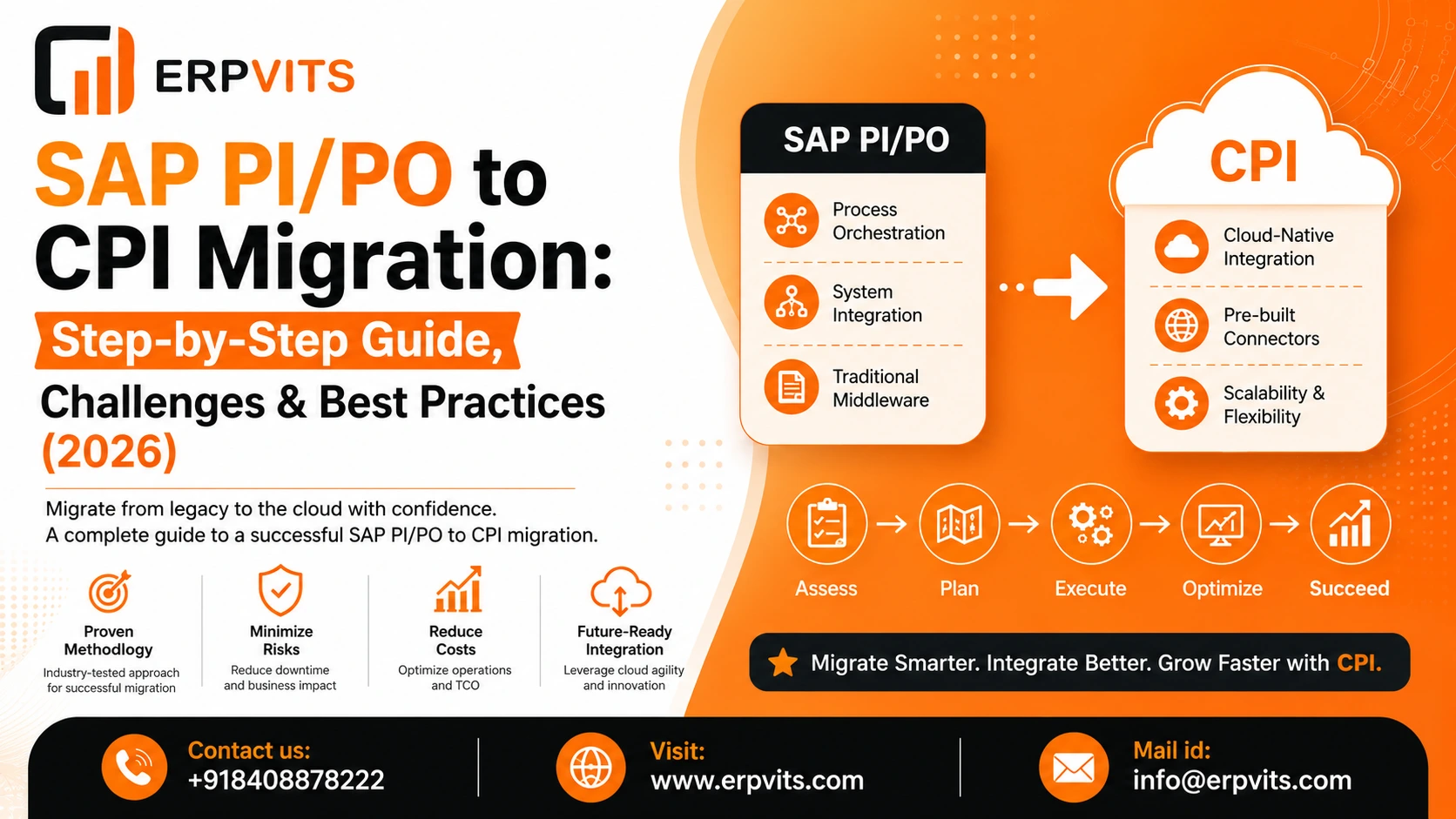
How to Migrate from SAP PI/PO SAP CPI. A Comprehensive Roadmap to Integration
SAP Process Integration/Process Orchestration (PI/PO) has been the core to enterprise integration for more than 10 years. But as SAP changed its strategy for integration towards cloud computing, SAP Cloud Platform Integration (CPI) is now part of the SAP Integration Suite -- has become the preferred way ahead.
If your company is operating PI/PO the migration process isn't a "nice to have" anymore. It's a major decision that each SAP user must plan for. This guide will walk you through the entire SAP PI/PO to CPI migration process -- the reasons to change, what will happen are required, the best way to go about it step-by-step and how to avoid common mistakes.
Why Enterprises are moving from SAP PI/PO to CPI
SAP's strategic plan of action: SAP has been investing continuously in cloud-native integration and placing CPI/Integration Suite as the platform of the future for advancement, connectors, and AI-driven capabilities.
Lower infrastructure costs It's now easier to manage on-premise servers, patches or Java stack updates CPI runs on SAP's managed cloud infrastructure. CPI is run on SAP's cloud infrastructure that is managed by SAP.
Quicker time to value Content packages that are pre-built Standard connectors, as well as API-first design means that new integrations can be launched sooner.
More scalable: CPI scales elastically based on the amount of data being sent, avoiding the need for manual capacity planning.
Native support for the latest protocols like REST, OData, GraphQL, and event-driven (Kafka/AMQP) integrations are much more easily implemented in CPI than in PI/PO.
Integration to S/4HANA and RISE in conjunction with SAP customers who move into S/4HANA Cloud or to RISE using SAP tend to be guided towards Integration Suite within the typical environment.
Reduced total cost of ownership (TCO) in the long run Although licensing models may vary, many businesses have seen a reduction in maintenance and operational costs following the transfer to SAP Cloud Integration.
Be sure to check SAP's current maintenance schedule and timelines for the end of life of the PI/PO by contacting SAP and/or your SAP customer service team as the dates may alter.
Key Differences Between SAP PI/PO and SAP CPI
| Aspect | SAP PI/PO | SAP CPI |
|---|---|---|
| Deployment | On-premise / Java stack | Cloud-native (SaaS) |
| Mapping | Graphical Mapping, Java, XSLT | Groovy/JavaScript scripts, Graphical Mapping |
| Monitoring | NWA, RWB | Web-based Monitor (Message Processing Log) |
| Adapters | Adapter Engine (AAE/AEX) | Cloud Integration Adapters (pre-built) |
| Scalability | Manual, hardware-bound | Auto-scaling, tenant-based |
| Security | On-prem certificate stores | Cloud Connector, OAuth, Keystore in cloud |
| Licensing | Perpetual/on-prem license | Consumption-based (message packages/API calls) |
| Extensibility | Custom Java functions (UDFs) | Groovy scripts, script collections |
| Connectivity to on-prem systems | Native | Via SAP Cloud Connector |
Pre-Migration Assessment: What to Check Before You Start
Before you even touch one interface, conduct an exhaustive landscape evaluation as part of your SAP integration migration planning:
- Interface inventory: Record every interface within PI/PO system, including adapter types, volume of messages and business criticality.
- The classification of Bucket interfaces are classified into simple, medium and advanced based on mapping logic, the number of steps, and the custom use of code.
- A custom audit of your code identifies the Java mappings UDFs (User-Defined Functions) and adapter modules that need to be rewritten using Groovy, or replaced by the standard CPI functions.
- Adapter compatibility check: Check that PI/PO adapters are compatible with direct CPI equivalents, and which ones need to be redesigned (e.g. certain older and third party adapters).
- Connectivity requirements Determine which on-premise system requires SAP Cloud Connector to ensure secure connection to CPI.
- Use SAP's Integration Assessment tool: SAP provides tooling (within SAP Integration Suite) to analyze your existing PI/PO iFlows and estimate migration effort/compatibility.
- Priority mapping for business: Choose which interfaces you want to migrate first typically, low-risk, high-volume interfaces make good candidates during the phase of piloting.
- Cutover and downtime limitations Consider blackout times (month-end close or peak business hours) which must be avoided when transferring.
Step-by-Step Process for Migration from CPI to PI/PO
Landscape and Package Planning
- Install the SAP Integration Suite tenant (Cloud Foundry environment).
- Create integration packages that can be logically linked to closely related iFlows.
- Create namespaces as well as naming conventions and folder structure upfront.
Mapping Migration
- Convert the Message Mappings as well as Java Mappings into Groovy or JavaScript scripts.
- Rebuild mappings using CPI's mapping procedures or script-based logic.
- Make sure to test each mapping on its own before integrating it in a complete iFlow.
Adapter Conversion
Expert Guidance
Learn from industry experts
Trusted & Recognized
Top-rated by learners
Flexible Learning
Online options
Placement Support
Career support & more
- Map every adapter to PI/PO (IDoc, SOAP, REST, JDBC, File, RFC, etc.) in the CPI equivalent.
- Reconfigure the connection parameters as well as keystores, credentials and connection parameters inside the CPI's Security Material.
- Configure SAP Cloud Connector to allow the on-premise system to connect when required.
iFlow Configuration and Design
- Rebuild the integration flow logic by using CPI's visual iFlow editor.
- Implementing the routing and content-based filtering and multicasting logic in native CPI.
- Configure exception subprocesses for structured error handling.
Testing and Validation
- Conduct unit tests on each of the iFlows.
- Test end-to-end integration with both the target and source systems.
- Validate the payloads of messages as well as transformations as well as error situations against the PI/PO's original output to ensure parity.
Cutover and Go-Live Strategy
- Choose a cutover approach: big bang vs. phased (interface-by-interface) migration.
- Use the PI/PO as well as CPI in parallel for crucial interfaces during an evaluation time.
- Slowly switch traffic on, keep an eye closely, and ensure that you have the rollback options available.
Common Challenges in SAP PI/PO to CPI Migration
- Advanced mapping logic deeply embedded Java UDFs, or mappings, often require a complete rewrite instead of a straight conversion.
- Custom adapter modules: PI/PO's customized adapter module (Java-based) don't have a direct counterpart and require redesign with Groovy scripts or CPI adapters.
- Adapter feature gaps: Certain special adapters or configurations in PI/PO might not have an all-in-one match in CPI.
- Performance tuning variations: iFlow performance behaves differently in CPI's runtime. Message size limits and processing timeouts demand adjustments.
- Connectivity setup on premises: Setting up SAP Cloud Connector in a way that is appropriate for hybrid landscapes is an easy source of errors in the early stages.
- Skills gap: Teams that have worked in the PI/PO's Java-heavy process must be trained in Groovy scripting and use CPI's cloud-based tools.
- Governance and change management Without a clear and concise migration governance framework, teams are at risk of confusion in naming, duplicate logic, and a lack of tracking custom scripts.
Best Practices for a Smooth SAP CPI Migration
- Begin with a test batch of interfaces: Switch to a smaller number of high-value, low-risk interfaces initially to establish confidence and perfect your method.
- Standardize your system before moving Utilize the migration to take advantage of an opportunity to tidy up redundant or outdated interfaces instead of migrating "as-is."
- Create collections of scripts that can be reused: Centralize frequently employed Groovy programs (e.g. recording, error handling, logging) instead of reusing the same logic in iFlows.
- Document your progress as you go Maintain a live migration tracker that covers the status of your interface and owner details, as well as complexity and test signature-off.
- Automate whenever possible: Utilize SAP's tools for migration assessment and conversion to speed up manual work for simple interfaces.
- Create a Center of Excellence (CoE) Establish an internal team of a few members with the responsibility of CPI standards governance, knowledge sharing, and sharing.
- Plan for run times that are parallel When you have interfaces that are critical to business test both systems in parallel for a short time to verify outputs prior to a full switchover.
- Make sure you monitor your system starting from the beginning Install alerts and dashboards before considering monitoring as a secondary consideration.
SAP CPI Migration Tools and Accelerators
- SAP Integration Suite Migration Assessment Examines existing iFlows for PI/PO and generates a compatibility report, highlighting the ones that can be converted automatically vs. the ones that require manual rework.
- Tools for Cloud Integration Automation: Aids automate repetitive configuration tasks, such as tenant setting up as well as connectivity setup.
- SAP Signavio/Integration advisor (where appropriate) This is useful for B2B or complex mapping scenarios that require a specific mapping guidelines.
- Third-party migration accelerators: A number of SAP partners provide tools that scan the PI/PO landscapes and automatically generate a significant portion of CPI iFlow logic, which reduces the manual work involved -- something useful for large landscapes that have many interfaces.
- SAP Cloud ALM a useful post-migration to monitor end-to-end and management of the lifecycle of your application throughout your entire integration environment.
Cost and Licensing Considerations When Moving to CPI
- Consumption-based pricing is different from the traditional licensing model for PI/PO, CPI typically uses a message-package consumption model or API-call consumption cost increases according to the amount of usage.
- The Tiered Integration Suite offers packages for different types of integration: SAP offers different service levels; which one you choose is based on the volume of integration as well as connector requirements, and other features (like API Management or Event Mesh).
- Be careful not to underestimate the volume of messages you send out. Overestimating monthly messages could cause unexpected overage costs Model your current PI/PO usage prior to choosing a service.
- In addition to infrastructure savings, consider the following factors There is a transition to CapEx (on-prem equipment) towards OpEx (cloud subscription) Overall, TCO is often improved due to lower maintenance, patching and hardware refresh costs.
- Get the latest prices from SAP The SAP commercial models change frequently Always confirm the current price and package details in consultation with the SAP account executive prior to budgeting.
Security and Compliance in SAP CPI
- Management of certificates and credentials Keystore management: Store keystores, credentials and certificates in the CPI's Security Material section instead of distributed across iFlows.
- OAuth as well as SSO Support: CPI supports OAuth 2.0 clients, client certificates, as well as SAML-based authentication to ensure secure system-to-system communication.
- SAP Cloud Connector acts as a secure bridge between your existing devices and your CPI cloud tenants, eliminating the requirement of connecting your on-prem system directly on the web.
- The Role-Based Access Control (RBAC) Create the roles of granularity (developer, administrator, operator, developer) to limit who is able to review, edit or distribute integration content.
- Compliance and data residency: Check the SAP region for data centers your tenant is located in particularly for GDPR or specific industry-specific compliance requirements.
- Audit logs: Allow and periodically review audit logs to check for changes in configuration and access to content of sensitive integration.
Post-Migration Checklist
- Check that all interfaces you have migrated are processing messages in production.
- Compare the volume of production messages and error rates with the PI/PO baselines prior to migration.
- Confirm that monitoring, alerting and logging are operational across all interfaces.
- The decommissioning of legacy PI/PO components is only after a period of stable observation (typically some weeks).
- Update documentation on technical aspects and diagrams of architecture to reflect the updated CPI landscape.
- Create a session for knowledge transfer to ensure support teams are prepared to deal with CPI incidents.
- Check the licensing consumption in relation to estimates from the beginning, and modify package tiers as required.
- Get feedback from business users and integration teams in order to record the lessons learned for future migrations.
Is SAP CPI the Right Move for Your Integration Landscape?
For the majority of SAP customers, moving between PI and PO to CPI isn't about "if" but "when." The cloud-native design, the reduced infrastructure load, and alignment with SAP's overall roadmap make it a strategic choice more than a mere technical upgrade.
The most important thing is not to rush the SAP PI/PO to CPI migration process -- it's making it a planned plan: analyze thoroughly and then move in stages and build your team's expertise in cloud integration and Groovy and establish a solid governance right from the beginning. Businesses that adopt this strategy tend to see more ease of transition and a more scalable, future-proof integration environment.